
01
Escape the Beige Wall
Generic AI tools don't know your brand. They produce inoffensive, middle-of-the-road content indistinguishable from your competitors. Stop publishing copy that blends in.
The Problem with Generic AI
Generic AI tools don't know your brand. They produce inoffensive, middle-of-the-road content indistinguishable from your competitors. Stop publishing copy that blends in.
Your team wastes hours fixing bad AI drafts instead of executing strategy. You shouldn't have to rewrite every output. Fynch Executes by removing the technical friction from your creative process.
Brand Studio grounds every task in your actual brand data. You receive drafts ready for approval, not a mess that needs a total overhaul. Generic AI creates content. Brand Studio creates your content.
Generic AI creates content. Brand Studio creates your content.
What It Is
Static style guides and manual prompts fail because they rely on memory. Brand Studio replaces shared folders with an active intelligence layer built into your workspace. Fynch Executes by reading your brand data automatically before every task. Your strategy becomes the foundation of every output instead of a separate chore.
Gets forgotten. Re-typed differently every time. Quality depends on who's writing it.
Sits in a shared folder, goes stale, and every new team member re-invents the brand from scratch.
A live intelligence layer Fynch reads automatically before executing any task. Always current. Never skipped.
What's Inside Brand Studio
Brand Guidelines are the official rules of your brand: the permanent foundation that applies to everything. Primary tone, specific vocabulary to use or avoid, writing style, formatting preferences, values, and standards. Set them once and Fynch references them on every task, every time. No re-explaining, no prompting, no manual oversight.
How to set them
Navigate to Brand Guidelines in your workspace and enter your standards manually — or ask your Fynch agent to extract them automatically from your website or a sample of your best writing.
Pro tip for agencies
Each client workspace has its own Brand Guidelines, fully isolated. Client A's rules never bleed into Client B's output.
Tap any component to expand.
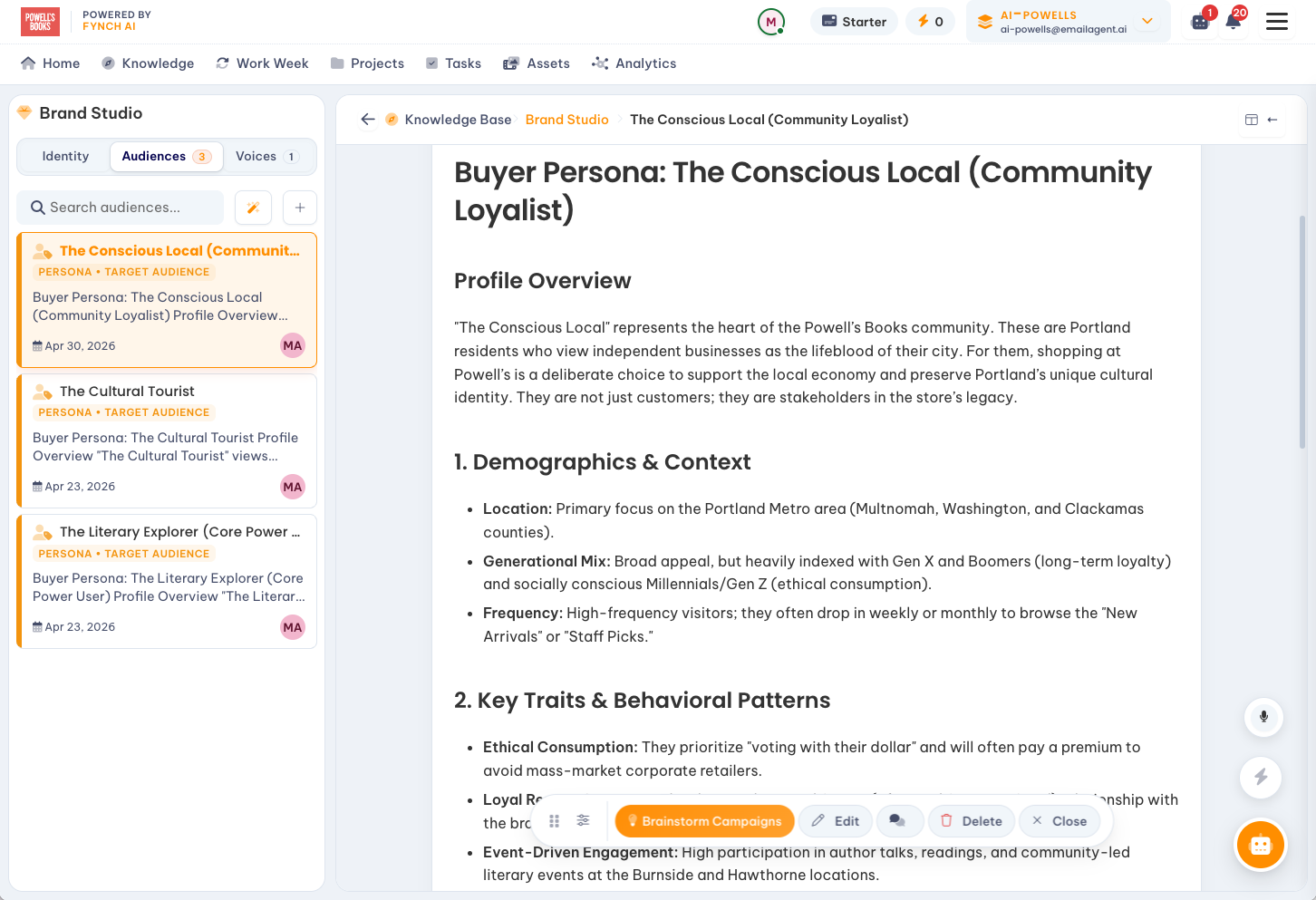
A look inside
Identity, audiences, and voices live side-by-side — so every campaign starts from a single, structured source of truth.
In Practice
Here's how a typical agency team uses Brand Studio across their client roster.
Setup — once per client workspace
Upload or paste the client's existing brand guidelines — or ask Fynch to extract them from their website.
Define 2–3 buyer personas per client: who they're targeting, what those buyers care about, what motivates them to act.
Configure platform-specific voices for the channels the client is active on: LinkedIn, email, blog, social. Just provide writing samples or past posts.
Ongoing — every task, automatically
Every content task Fynch executes references the client's Brand Guidelines and selected Persona automatically.
The Content Grader scores drafts for brand alignment and GEO visibility before they reach your team.
Updates to guidelines or personas apply immediately to all future tasks. No re-prompting, no retroactive fixes.
Result
Your team receives finished, review-ready drafts that sound like each client specifically. The editing tax is eliminated. Brand consistency is guaranteed regardless of which team member is managing the account.
For Agencies Specifically
For agencies managing ten, twenty, or thirty clients simultaneously, brand consistency is the operational challenge that never goes away. Brand Studio solves this at the infrastructure level — by making each client's brand identity a foundational part of how Fynch operates. The system knows who each client is before a single task is run.
Whether you're managing 5 clients or 50, every output for every client sounds like that client specifically. Not like AI wrote it, not like a junior account manager wrote it, not like everyone else's content.
When drafts arrive on-brand from the start, your team spends less time editing and more time on strategy and client relationships. Review cycles get faster. Account managers handle more.
Clients who consistently receive on-brand, high-quality output from their agency rarely leave. Brand Studio is the operational foundation that makes "consistent quality" a promise your team can actually keep.
Connected to Everything
Brand Studio isn't a standalone feature — it's the intelligence layer that every other Fynch capability draws from. From content briefs to GEO reports to email-triggered tasks, every output is shaped by the same brand context.
Every brief and draft references active brand guidelines and personas automatically.
Persona data informs visibility recommendations and optimization priorities.
Tasks delegated via email execute using the same brand intelligence as workspace tasks.
Insights are translated into action through the lens of each client's brand context.
Tasks created from reports or briefs inherit the brand context of their client workspace automatically.
See it in action
A short walkthrough of how Brand Studio turns your client's brand into a live, structured context that every Fynch task runs on.
FAQ